Updated October 2026 14 guides + the finder
Dyson Battery Guides: Fix the Fault Before You Buy the Pack
Most Dyson battery complaints have three causes — a blocked airway, a heat lock-out or a worn cell pack — and only one of them needs a new battery. Every guide in this library is grouped by the symptom you actually noticed, so you can rule out the free fixes first and, if the pack really is finished, order the right platform with the battery finder.
Written from the specification data on our own product listings: voltages, capacities, part codes and fitting types. No invented run-time minutes, no star ratings, no anonymous reviews.
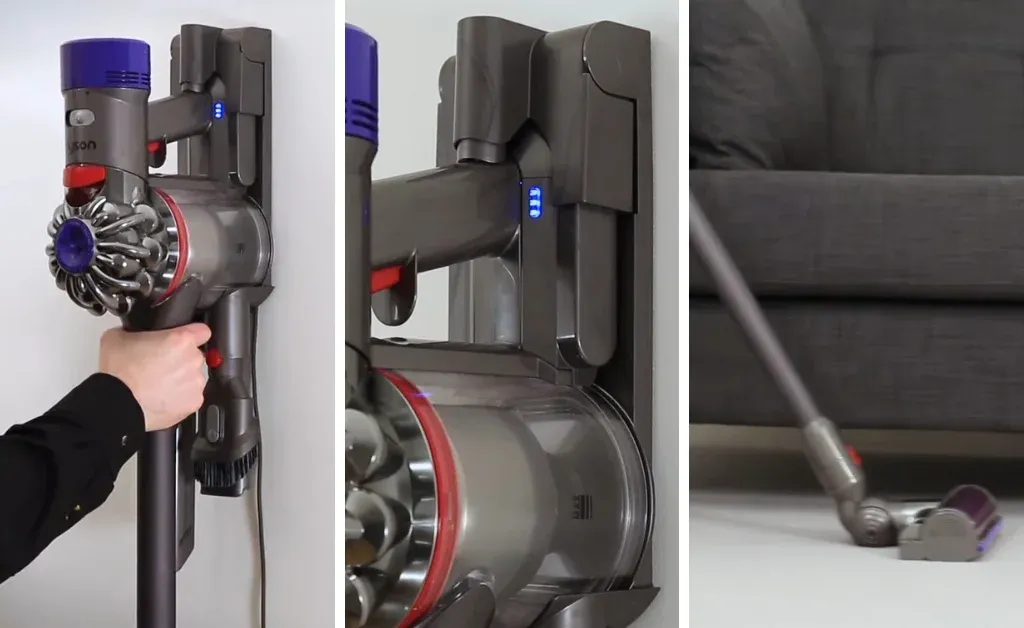
The two symptoms that send the most people shopping
If you only read one thing, read this
Will not charge at all: check the charger and the socket before the battery. Dyson Australia sells the matching charger as a separate part at AU $40.00, which tells you how often the charger, not the pack, is the fault. Clean the contacts, try a different wall socket, and if the charge indicator never changes, work through the V7 not-holding-charge guide or the DC35 won't-charge guide. Runs for minutes then stops: wash and fully dry the pre-motor filter, clear the cyclone and airway, let the machine cool for an hour, then retest. If the run time is still short with a clean airway, start with the runtime guide and then the replacement decision list.
Two safety notes cover every page in this library. Never charge or fit a pack that is swollen, discoloured, burnt-smelling, dropped or waterlogged — take it to an Australian household battery recycler instead. And never charge a 21.6 V pack on a 22.2 V legacy charger or the other way round; the voltages are platform-specific.
My Dyson won't charge
Charging faults split into three families: the charger or socket, the machine's temperature lock-out, and a pack that will no longer accept current. These three guides walk the order from free to paid.
Dyson V7 not holding a charge
Fix it in the right order: filter, airway, temperature lock-out, then the cell pack — so you do not buy a battery for a blockage.
Open the V7 charging guideDyson DC35 won't charge
The 22.2 V legacy handheld troubleshooting route, including the charger, contacts and Type A versus Type B checks.
Open the DC35 charging guideSigns the battery is actually dead
How to tell a worn pack from a blocked machine, using the symptoms you can see rather than guesswork.
Check the symptomsMy Dyson runs for minutes then stops
Short run time is the most common Dyson complaint and the most misdiagnosed. MAX mode draws far more current than ECO, and a blocked filter trips a thermal cut-out that feels exactly like a dying cell. These guides separate mode habits, airflow faults and genuine capacity loss.
Get more minutes from a V7
Mode duty, filter care and when a higher-capacity 4.0 Ah pack is the real answer.
Open the runtime guideOptimise a V10 battery
The 25.2 V platform's own charging and storage limits (charge 0–45 °C, discharge −20–60 °C) and how to live with them.
Open the V10 guideV8 usage tips
Daily habits on the V8 and SV10 that decide whether the pack fades gently or dies early.
Open the V8 tipsWhich Dyson battery do I need?
Voltage decides the platform, the fitting decides whether it physically attaches, and the model name decides almost nothing on its own. These are the fitment-identification reads, plus the live compatibility map on the main store.
Click-in vs screw-in
Why two Dysons with the same name can need different packs, and the thirty-second way to tell yours.
Identify the fittingV11, V12 and V15 owners
Those machines are outside our current range. This guide says so plainly and gives you the part number to email for a sourcing check.
Read the compatibility guideWhich Dyson models share a battery
The live cross-model map on aussiebatt.com, listing which sticks and handhelds run the same shell.
Open the compatibility mapThe interactive route is the battery finder — a decision flow, a 31-row part-code table and a model-name map, all keyed to the codes printed on our own listings.
Fitting a replacement Dyson battery
One screwdriver, three steps, under ten minutes — provided the pack is the right platform. The first guide covers the physical job; the second covers the decision you should make before you undo anything.
How to replace a Dyson battery
Release, align, seat, refit the screws snugly, then charge before the first clean — with the fitting photos.
Open the fitting walkthroughWill fitting it void my Dyson warranty?
A third-party pack will normally void Dyson's cover on that machine. This guide explains when that matters and when it does not.
Read the warranty guideChargers for 21.6 V and 22.2 V packs
Match the charger voltage to the platform. A missing or damaged charger mimics a dead battery perfectly.
See the charger range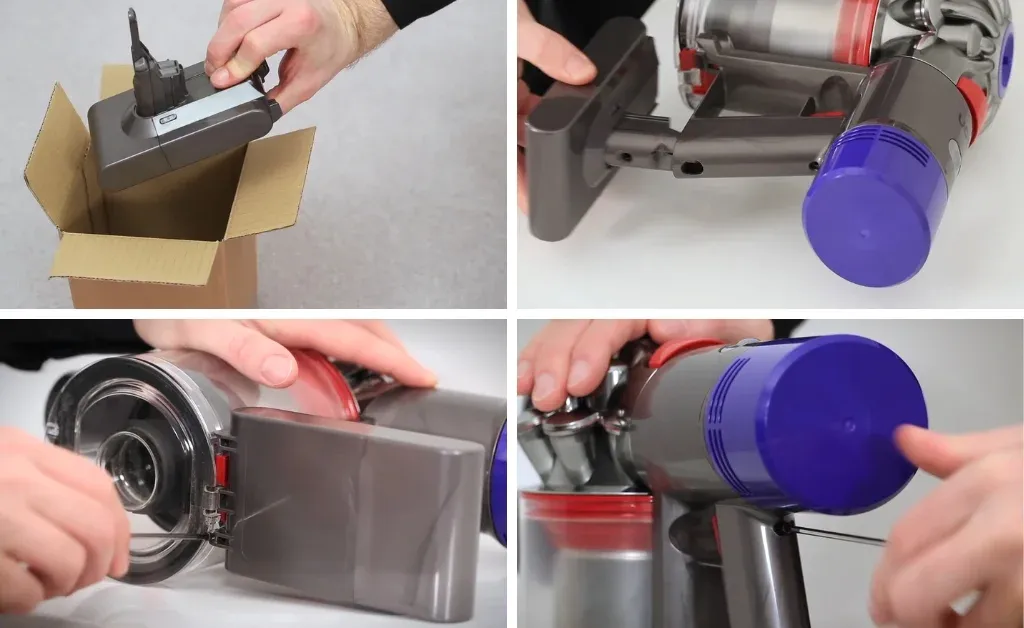
Care, storage and how long a pack should last
Lithium packs are rated for a few hundred full charge cycles. How fast you spend them is largely up to you: heat, flat storage, MAX-mode habit and blocked airflow are the four accelerators. Store at roughly 40 % charge in a cool dry place, run a full cycle every two to three weeks if the machine sits idle, and calibrate with a full charge then full discharge when the fuel gauge reads oddly.
How long Dyson batteries last
Realistic service life in Australian conditions and the habits that shorten it fastest.
Open the lifespan guideDC31 maintenance tips
Care routine for the oldest 22.2 V handheld range, where the pack and the charger are usually the last working parts.
Open the legacy care guideBattery care guide on the store
The published care page for every platform we list, including the storage and charging envelope.
Open the care guide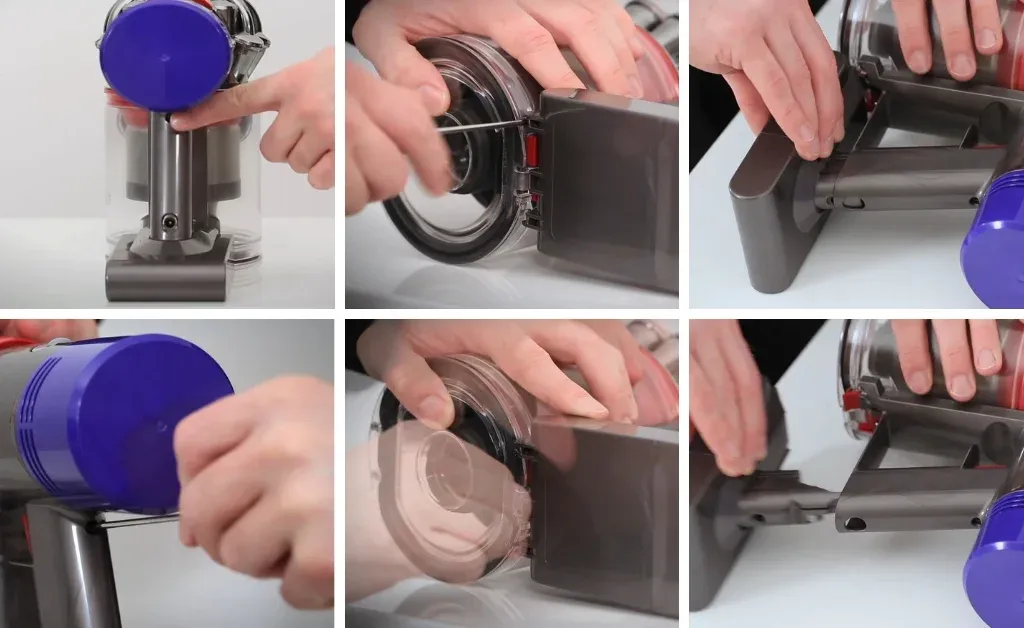
Robot vacuums: Roomba and Navibot batteries
We sell robot vacuum batteries too, and their faults have their own reset and maintenance routines. These two guides cover the iRobot Roomba 500-series and Samsung Navibot packs we list, rather than Dyson sticks.
Reset a Roomba 500 battery
The reset sequence for iRobot Roomba 500-series packs that will not complete a charge or a cycle.
Open the Roomba reset guideSamsung Navibot VCR8855 battery life
Care and charging habits for the Navibot robot pack, and when a replacement is due.
Open the Navibot guideRobot vacuum batteries in the store
Our iRobot and Samsung Navibot replacement pack listings, shipped from the same Sydney warehouse.
Browse robot batteriesSearches that land in the library
If a question below is yours, the answer is one click away — and if it is not covered anywhere, email the support team with your model code and we will write it up.
Popular long-tail reads
- How to tell if your Dyson battery is dead
- Dyson V7 battery not holding charge
- Dyson DC35 battery won't charge
- Dyson V10 battery dying fast
- Dyson click-in vs screw-in battery
- How to install a Dyson replacement battery
- Dyson battery lifespan Australia
- Dyson V15 battery replacement Australia
- Replacing a Dyson battery and the warranty
- Dyson battery price comparison Australia
Buy on the code, not on the model name. Every guide in this library ends at the same rule: the voltage and part number printed on your existing pack decide what to order. Read it first, then use the finder or the full range with prices.
Still not fixed? Ask a human.
Email info@aussiebatt.com with your model code, the symptom and what you have already tried. Support runs Monday–Friday, 9am–4pm, and warranty is handled here in Australia.