

- Dyson V7 Vacuum Cleaner Battery
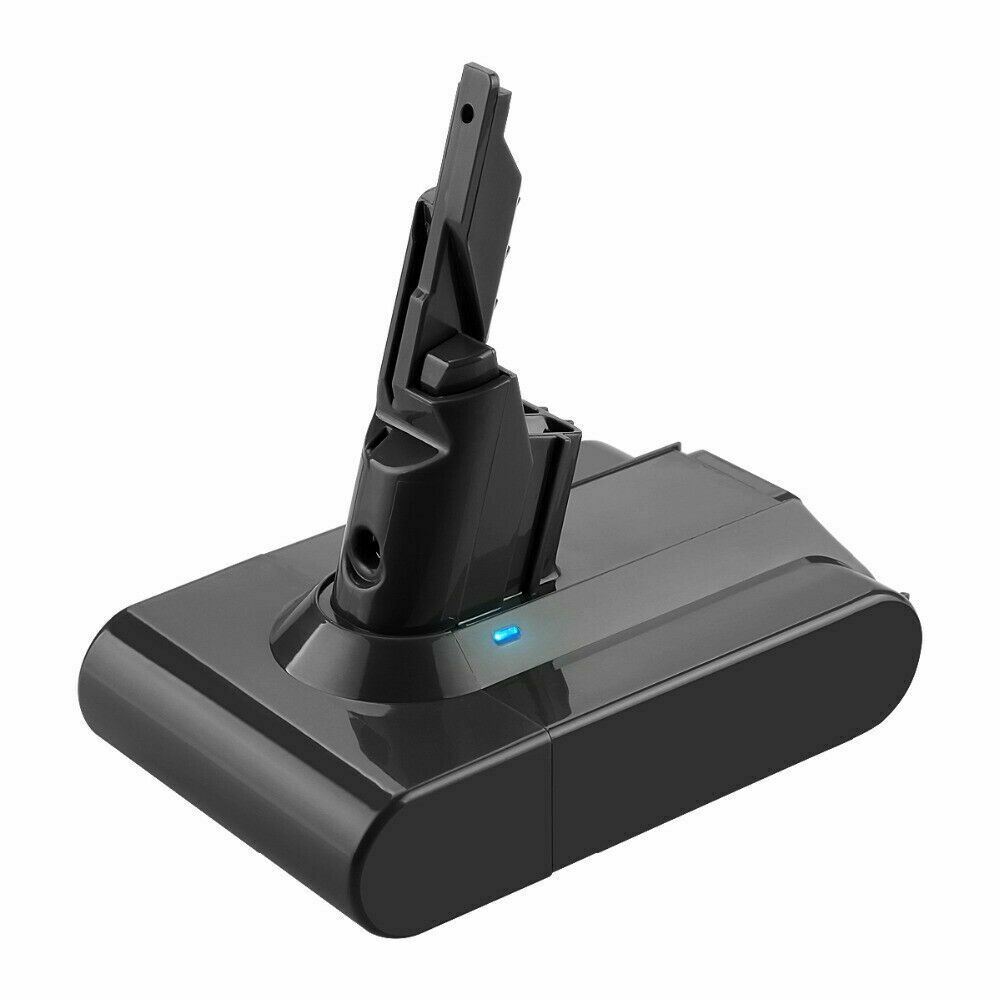
- Li-ion, 21.6V, 4000mAh
Only AU $50.79 - Dyson V10 Battery
- Dyson V11 Vacuum Battery
- Dyson DC59 Battery
- Dyson 967810-21 Battery
- Dyon SV03 Battery
- Dyson 61034-01 Battery
- Dyson V8 Vacuum Battery
The Last Word on iRobot Batteries: Extend Lifespan, Avoid Errors, and Master Your Vacuum
Your iRobot Roomba or Braava is a tireless ally in keeping your home spotless. But what happens when its energy starts to fade? A flashing red light, a cleaning cycle cut short, the frustrating search for the charging dock that never seems to end... we've seen it all, and we understand the frustration. When your trusted robot's battery starts to falter, it can disrupt your entire cleaning routine.
But don't worry. Before you consider retiring your robotic helper, know that most battery issues are solvable. This ultimate guide, created by the battery experts at AussieBatt, is your official companion manual for iRobot battery tips. We'll walk you through understanding your iRobot's battery, provide expert-approved tips to maximize its life, decode those confusing error lights, and help you decide when it's truly time for an upgrade. Our goal isn't to sell you a battery; it's to empower you with the knowledge to get the most out of the one you have.
Understanding Your iRobot's Heart: The Lithium-Ion Battery
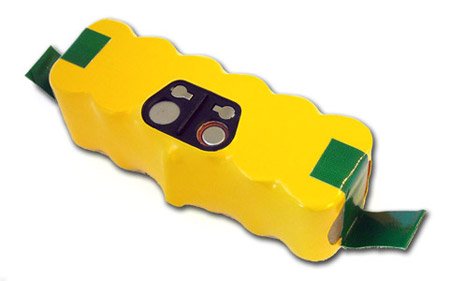
Think of your iRobot's battery as its heart. Most modern Roomba and Braava models use a sophisticated Lithium-Ion (Li-Ion) battery pack. Unlike the older Nickel-Metal Hydride (NiMH) batteries found in some iRobot roomba 700-800 series models, Li-Ion batteries are lighter, hold a longer charge, and don't suffer from "memory effect." This means you don't need to perform a full "deep cycle" (draining it completely before recharging).
However, all batteries have a finite number of charge cycles. A cycle is one full discharge and recharge (from 100% to 0% and back to 100%). The official iRobot XLife battery, for instance, promises to deliver twice the cleaning cycles of its predecessors. But with every cycle, the battery's maximum capacity slightly decreases. The key to a long and healthy life for your iRobot is to make those cycles count and to maintain the battery properly.
5 Expert-Approved Tips to Maximize Your Roomba's Battery Life
Based on official iRobot documentation and thousands of hours of user experience, these five tips are the most effective ways to extend your Roomba battery life and ensure it performs at its peak for as long as possible.
Tip 1: The 80/20 Rule is Your Best Friend
Just like with your smartphone, the golden rule for modern Li-Ion batteries is to avoid extremes. Consistently draining your battery to 0% or leaving it fully charged at 100% for long periods can accelerate its degradation. While the iRobot's software is designed to manage this, a good practice is to let it run its cleaning cycle and return to the dock as needed. The system is designed to keep the battery in a healthy state while docked, so there's no need to unplug it once it's charged.
Tip 2: Dock It, But Don't Forget It
Your Roomba's Home Base or Clean Base is its safe haven. It's designed to not only charge the robot but also maintain the battery for long-term health. Always leave your Roomba on its dock when not in use. This ensures it's always ready for the next cleaning job and allows the Battery Management System (BMS) to keep the cells balanced. If you plan to be away for an extended period (more than a few weeks), it's best to fully charge the robot, then remove the battery and store it in a cool, dry place.
Tip 3: Keep It Clean and Cool
A clean robot is an efficient robot. Clogged filters, tangled brushes, and debris-filled wheels force the motor to work harder, drawing more power from the battery and shortening runtime.
- Clean the Brushes and Filter: After every few runs, empty the bin and clean the filter. Once a week, remove the main brushes and side brush to clear away hair and debris.
- Wipe the Charging Contacts: Dust and grime can build up on the metal charging contacts on both the robot and the dock, leading to poor connection and charging errors. Once a month, wipe them clean with a dry cloth or a cotton swab lightly dampened with rubbing alcohol.
- Avoid Extreme Temperatures: Never charge your robot in direct sunlight or in a room that gets excessively hot or cold. Room temperature is the sweet spot for a happy battery.
Tip 4: Use the Right Power Mode
Many newer iRobot models, like the s9 and i7, feature "Power Boost" or different cleaning modes. While these are great for deep cleaning carpets, they also consume significantly more battery. For daily maintenance on hard floors, using the standard or "Eco" mode is a great way to conserve energy and complete a larger area on a single charge.
Tip 5: Understand the App's Battery Health Indicator
The iRobot HOME App provides valuable insights into your battery's status. While it may not give you a simple percentage, it will alert you to charging errors and can give you an idea of the battery's overall health through its performance and runtime history. Pay attention to notifications and address any reported issues promptly.
Decoding the Signals: What Your Roomba's Lights Are Telling You
A flashing light on your Roomba is its way of communicating. Instead of guessing, use this comprehensive chart—based on official iRobot support documents—to diagnose the problem quickly.
| Error Code | App/Voice Prompt | Possible Causes | Official Recommended Solution |
|---|---|---|---|
| Charging Error 1 | "Charging error one" | Battery is not detected or not connected properly. | Re-install the battery, ensuring it clicks into place. Clean the battery contacts. If the problem persists, you may need a replacement battery. |
| Charging Error 2 | "Charging error two" | A charging error has occurred. This could be due to dirty contacts. | Clean the charging contacts on both the robot and the Home Base with a dry cloth or rubbing alcohol. |
| Charging Error 3 | "Charging error three" | Battery temperature issue or communication fault. | Ensure the robot is in a room-temperature environment. Clean contacts and reboot if needed. |
| Charging Error 4 | "Charging error four" | Charging system malfunction. | Check dock placement and ensure proper connection. Contact iRobot support if the issue persists. |
| Charging Error 5 | "Charging error five" | Charging system fault, often related to the battery or charger. | Clean the charging contacts. Perform a robot reboot. iRobot officially states this error can be caused by non-genuine batteries and recommends using an original iRobot battery. |
| Charging Error 6 | "Charging error six" | Battery voltage or capacity issue. | This often indicates a failing battery that needs replacement. |
| Charging Error 7 | "Charging error seven" | Charging system communication error. | Try rebooting the robot and ensuring the dock is properly connected. |
| Charging Error 8 | "Charging error eight" | Battery is too hot, too cold, or a non-genuine battery has been explicitly detected. | Move the robot and dock to a room-temperature environment to cool down or warm up. This error is a strong indicator of an incompatible third-party battery. |
| Charging Error 9 | "Charging error nine" | Battery communication fault or internal damage. | Clean the contacts and reboot the robot. This error often means the battery has reached the end of its life and must be replaced. |
| Errors 10, 11, 15, 21 | Various prompts | Communication errors between the robot and the battery or charging system. | These errors typically point to a battery that needs replacing or a more significant hardware fault. A robot reboot is the first step. |
When to Upgrade: Clear Signs Your iRobot Needs a New Battery
Even with perfect care, all batteries eventually need to be replaced. Here are three unmistakable signs that it's time for an upgrade:
- Drastically Shorter Runtime: This is the most obvious sign. If your Roomba, which used to clean for 90 minutes, now only lasts for 30 minutes before needing to recharge, the battery's capacity has significantly degraded. Performing a full 16-hour "refresh charge" (as mentioned in some official manuals) is a good final test, but if that doesn't restore performance, it's time for a new battery.
- Frequent and Persistent Charging Errors: If you're constantly cleaning the contacts and resetting the robot to clear a "Charging Error," especially errors 5, 8, or 9, it's a strong indication that the battery's internal management system is failing.
- The Robot Won't Turn On at All: If the robot is completely unresponsive even after being manually placed on a known-working dock for several hours, the battery is likely completely dead.
iRobot Battery Compatibility & Specifications Quick Reference
Choosing the right battery is critical for your robot's performance and safety. Using an incompatible battery can lead to errors, poor performance, or even damage. Use this quick reference table, compiled from official iRobot data and expert analysis, to find the right battery for your model.
| Series | Battery Chemistry | Official Battery/Module (SKU) | Nominal Specs (Official/Third-Party) | Key Compatible Models | Critical Notes |
|---|---|---|---|---|---|
| s Series | Li-Ion | 4650994 | 3300mAh, 14.4V | s9, s9+ | Dedicated module, not interchangeable with other series. Replacement through official channels is recommended. |
| j Series | Li-Ion | 4706313 / 4785636 | 2210mAh / 4460mAh | j5, j6, j7, j7+, j9+ | Comes in two capacity options (Module ABL-D2). Choose based on your specific model and runtime needs. |
| i / e Series | Li-Ion | 4624864 | 1800mAh, 14.4V | e5, e6, i1-i8 | Dedicated module ABL-D1. Not compatible with Combo j-series models. Official life expectancy of 2-3 years. |
| 900 Series | Li-Ion | 4636434 (XLife) / 1800LI | 1800mAh / 3300mAh, 14.4V | 960, 980, 985 | Partially compatible with 500-800 series. The XLife battery emphasizes double the charge cycles. |
| 800 / 700 / 600 / 500 Series | Li-Ion or NiMH | 4636434 (XLife) / 1800LI | 1800mAh-6500mAh (Li-Ion) / 3850mAh (NiMH) | Most models in the 500-800 range | Early models may use NiMH batteries. Confirm your original battery type before replacing. Li-Ion offers superior performance. |
| Braava jet m6 | Li-Ion | 4650151 | - | m6 | Mop-specific battery, not interchangeable with any Roomba model. |
| Braava 300 Series | NiMH | Official Part No. | 1500mAh / 2000mAh | 320, 380 | Older NiMH technology; be mindful of maintenance to avoid memory effect. |
Ready to restore your iRobot roomba vacuum cleaner to its former glory?
Explore our carefully curated iRobot battery collection for premium replacements that match or exceed your original battery's performance.
Shop AussieBatt's iRobot Batteries CollectionWhy Choose an AussieBatt Replacement Battery?
When your trusted robot's battery starts to show its age, a high-quality replacement is the most cost-effective way to bring it back to peak performance. After all the care and maintenance we've discussed, sometimes your battery simply needs to be replaced with a premium alternative that meets or exceeds the original specifications.
AussieBatt understand your iRobot is more than just a cleaning device—it's a valuable investment in home's cleanliness and your own time. That's why we engineer our batteries to not just meet, but exceed OEM specifications, giving your iRobot a new lease on life.
Here's why a specialist supplier like AussieBatt is the smart choice:
Premium A+ Grade Cells
We don't compromise on quality. Our batteries use high-capacity, high-discharge A+ rated cells that provide longer runtimes and a longer overall lifespan than cheap, uncertified alternatives.
Advanced Safety and Compatibility
Each AussieBatt battery includes a sophisticated Battery Management System (BMS) that provides protection against over-charging, over-discharging, over-current, and short-circuiting. Our firmware is rigorously tested to ensure seamless communication with your Roomba, just like the original.
More Power, More Cleaning
Many of our replacement vacuum batteries offer a higher capacity (measured in mAh) than the standard batteries, translating directly to longer cleaning cycles and more floor space covered before your robot needs to dock.
Unbeatable Warranty and Local Support
We stand by our products. Every AussieBatt iRobot battery comes with a full 12-month warranty and is backed by our expert Australian-based customer support team.
A Smart Investment in a Cleaner Home
Your iRobot is a significant investment in your home's cleanliness and your own time. Maintaining its battery is the single most important thing you can do to protect that investment. By following these expert tips, you can significantly extend its lifespan and performance.
And when the time for a replacement inevitably comes, making the right choice is crucial. Don't let a failing battery relegate your expensive robot to a closet.
If you're looking for a premium replacement that matches or exceeds your original battery's performance, we invite you to explore our carefully curated iRobot roomba battery collection. Each battery comes with our commitment to quality, compatibility, and the peace of mind that comes with expert Australian support.
Take the next step toward restoring your Roomba's full potential.
Frequently Asked Questions
Q: How long should my iRobot battery last?
A: Most iRobot batteries are designed to last 2-3 years with normal use, though this can vary based on cleaning frequency and maintenance practices.
Q: Can I use a higher capacity battery in my Roomba?
A: While higher capacity batteries are available, it's important to ensure compatibility with your specific model. Always verify that the replacement battery matches your Roomba's voltage and physical specifications.
Q: Why does my Roomba's battery drain faster in winter?
A: Lithium-ion batteries perform less efficiently in cold temperatures. Keep your Roomba and its charging dock in a room-temperature environment for optimal performance.
Q: Is it safe to leave my Roomba charging all the time?
A: Yes, modern iRobot models are designed to be left on their charging docks. The Battery Management System prevents overcharging and maintains the battery at an optimal charge level.
Sources & References
This guide was compiled using information from official iRobot documentation, expert third-party testing, and in-depth technical guides to ensure accuracy and provide the most comprehensive advice possible.




Wholesaler and distributor welcome - If you want to wholesale Dyson batteries please email us