

Hot Dyson Batteries
- Dyson V7 Vacuum Cleaner Battery
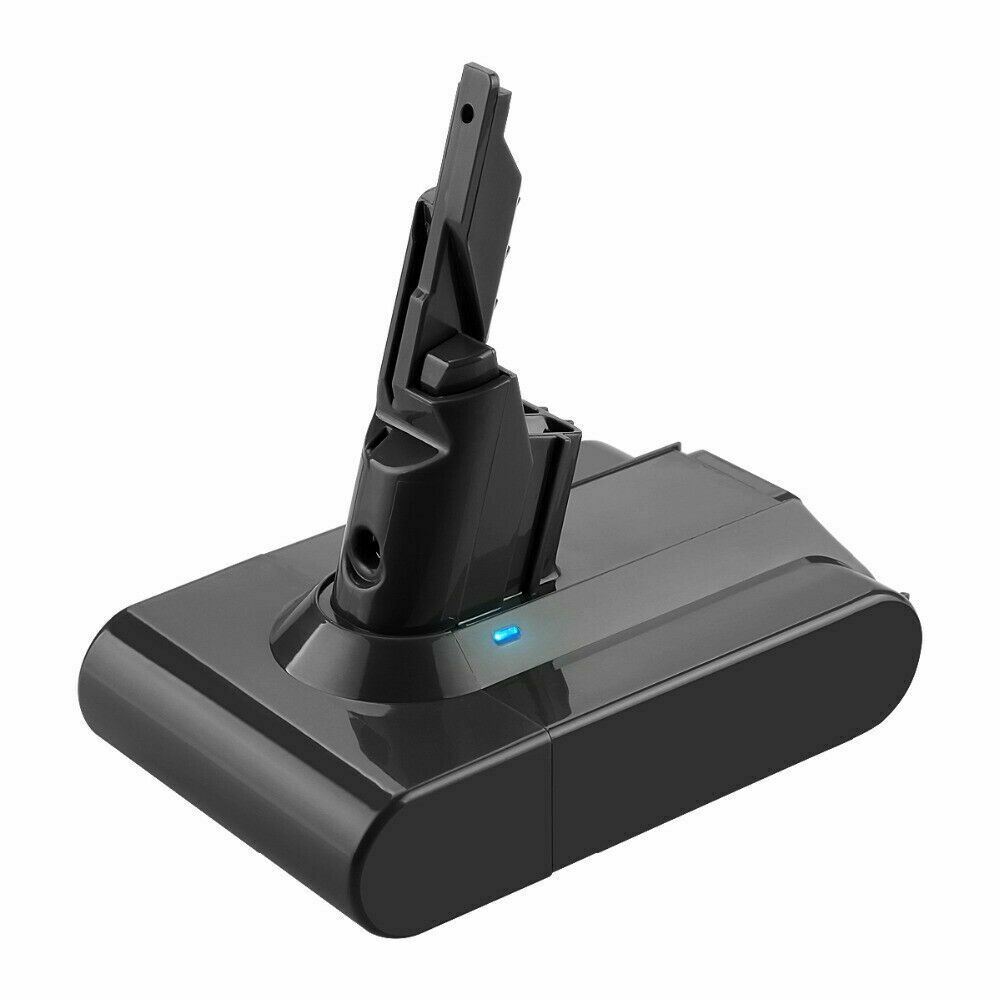
- Li-ion, 21.6V, 4000mAh
Only AU $50.79 - Dyson V10 Battery
- Dyson V11 Vacuum Battery
- Dyson DC59 Battery
- Dyson 967810-21 Battery
- Dyon SV03 Battery
- Dyson 61034-01 Battery
- Dyson V8 Vacuum Battery
Best Practices for Improve Dyson V7 Handheld Vacuum Battery Life
Are you frustrated with your Dyson V7 handheld vacuum’s short battery life? Whether you’re cleaning pet hair, crumbs, or allergens, a weak battery can turn a quick chore into a hassle. But don’t worry—there are proven ways to maximize your Dyson V7’s runtime and keep it performing like new. In this guide, we’ll share expert-backed tips for Australian and American users, backed by years of experience in battery care and maintenance.
🔋 Why Does Dyson V7 Battery Life Decline?
Before diving into solutions, let’s understand why battery life degrades over time:- 1.Aging Battery Chemistry: Li-ion batteries (like Dyson’s) naturally lose capacity after 1–2 years of heavy use.
- 2.Charging Habits: Overcharging, frequent partial charges, or leaving the battery drained for weeks can shorten lifespan.
- 3.Dust & Debris Buildup: Clogged filters, brushes, or charging ports restrict airflow and drain power.
- 4.Environmental Factors: Extreme heat/cold or high humidity accelerates battery wear.
✅ Proven Tips to Boost Dyson V7 Vacuum Cleaner Battery Life
1. Optimize Your Charging Routine
- •Avoid Overnight Charging: Modern Li-ion batteries (including Dyson’s) prefer partial charges (20–80%) rather than full 0–100% cycles.
- •Unplug After Full Charge: Overcharging generates heat, which damages battery health.
- •Store Properly: If unused for weeks, charge the battery to ~50% and store in a cool, dry place.
2. Keep Your Vacuum Clean
- •Empty the Dustbin Regularly: A full bin forces the motor to work harder, draining the battery faster.
- •Clean Filters & Brushes: Blocked filters reduce suction power, making the motor work overtime.
- •Wipe the Charging Port: Dirt or corrosion on the battery contacts can disrupt charging efficiency.
3. Use Battery-Saving Features
- •Turn Off “Boost Mode”: High-power modes drain the battery quickly—reserve it for tough messes.
- •Use the Auto-Restart Feature: Dyson V7 automatically powers down after 60 minutes to prevent overheating. Let it rest before resuming.
4. Avoid Extreme Temperatures
- •Heat is the Enemy: Leaving your Dyson V7 in a hot car or direct sunlight accelerates battery degradation.
- •Cold Weather Precautions: While 6INR19/66-1 batteries for Dyson V7 vacuum handle cold better than most, extreme temps (<0°C) may temporarily reduce runtime.
⚠️ When to Replace Your Dyson V7 Battery
Even with proper care, most Li-ion batteries last 18–24 months under heavy use. Signs it’s time for a replacement:- •Runtime drops below 15 minutes per charge.
- •Battery swells or leaks fluid (a safety hazard requiring immediate replacement).
- •Charging light flashes erratically (indicates a faulty cell).
💡 Advanced Cordless Dyson Vacuum Battery Maintenance Tips
- •Calibrate Your Battery: Every 3–6 months, fully charge and discharge the battery once to reset its capacity tracker.
- •Use a Surge Protector: Power surges during charging can damage battery cells.
- •Replace Worn Brushes: A dull brush head forces the motor to strain, reducing efficiency.
Ready to restore your handheld Dyson vacuum cleaner to its former glory?
Explore our carefully curated Dyson vacuum battery collection for premium replacements that match or exceed your original battery's performance.
Shop AussieBatt's Dyson Batteries Collection
✅ 12-Month Warranty ✅ Australian Local Shipping ✅ Compatibility Guaranteed
Hot Sale Vacuum Batteries
AussieBatt.com is an Australia huge and reliable online shopping store for Laptop Batteries, Power Adapters, Camera Batteries, Cordless Tool Batteries. Shop now to take advantage of the lowest price and Australia Post Fast & Free Shipping on all batteries and chargers.
Online Shopping With Australia Post Free Shipping - AussieBatt.com: Australia Professional Battery Shop




Wholesaler and distributor welcome - If you want to wholesale Dyson vacuum batteries please email us