

- Dyson V7 Vacuum Cleaner Battery
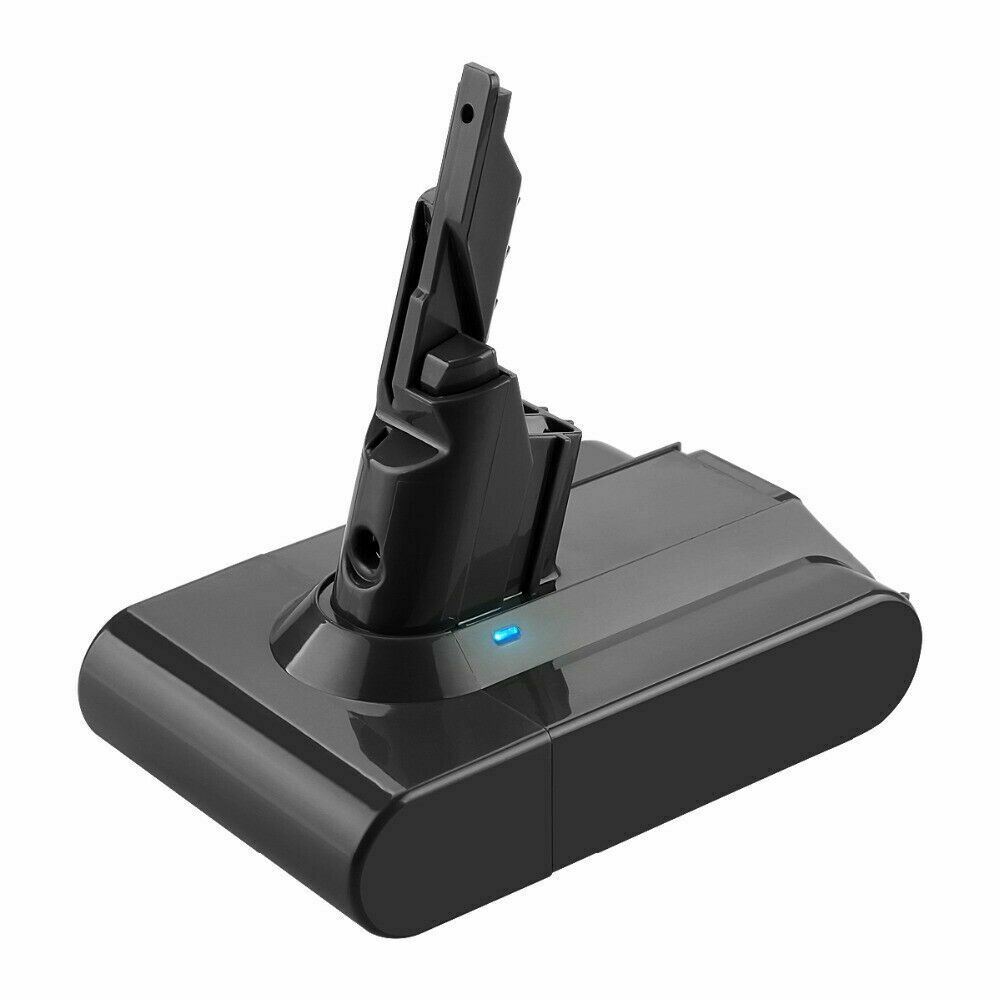
- Li-ion, 21.6V, 4000mAh
Only AU $50.79 - Dyson V10 Battery
- Dyson V11 Vacuum Battery
- Dyson DC59 Battery
- Dyson 967810-21 Battery
- Dyon SV03 Battery
- Dyson 61034-01 Battery
- Dyson V8 Vacuum Battery
Bring Your iRobot Roomba 500 Vacuum Cleaner Back to Life Instructions
Is your iRobot Roomba 500 not charging, turning on, or behaving erratically? A simple battery reset can often resolve these issues without needing a costly replacement. Whether you're in Australia (AU) or the USA, this step-by-step guide will walk you through how to reset your Roomba 500 battery effectively. Plus, we’ll share battery care tips and direct you to a trusted source for replacements if needed.
🔋 Why Reset Your iRobot Roomba 500 Vacuum Battery?
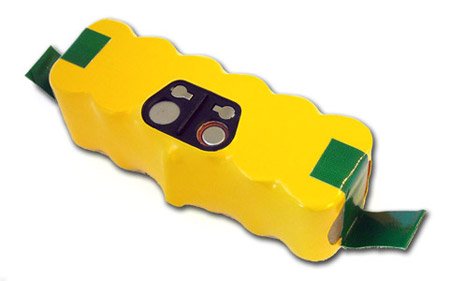
The Roomba 500 series (released around 2007–2010) uses a NiMH (Nickel-Metal Hydride) battery that can develop charging or power issues over time due to:- 1.Battery Memory Effect – Frequent partial discharges can reduce capacity.
- 2.Aging Cells – Most NiMH batteries last 12–24 months with heavy use.
- 3.Software/Glitches – Occasionally, the Roomba’s software needs a reset to recognize the battery.
- 4.Dirty or Corroded Contacts – Poor connections between the battery and Roomba can cause charging failures.
✅ Step-by-Step: How to Reset iRobot Roomba 500 Battery
Method 1: Basic Hard Reset (No Tools Needed)
- 1.Turn Off the Roomba – Press and hold the "Dock" and "Spot" buttons simultaneously for 10 seconds until you hear a beep.
- 2.Remove the Battery – Slide open the battery compartment and take out the battery.
- 3.Wait 30 Seconds – This allows any residual charge to dissipate.
- 4.Reinsert the Battery – Make sure it’s seated properly.
- 5.Turn On the Roomba – Press the "Clean" button to see if it powers up and charges normally.
Method 2: Full Reset (Including Roomba’s System)
- 1.Remove the Battery – Take out the battery as described above.
- 2.Press and Hold "Clean" Button – While the battery is out, press and hold the "Clean" button on the Roomba for 10 seconds to discharge any residual power.
- 3.Wait 1 Minute – Let everything fully power down.
- 4.Reinsert the Battery – Place the battery back into the Roomba.
- 5.Press "Dock" and "Spot" Together for 10 Seconds – This resets the Roomba’s system.
- 6.Try Charging Again – Plug the Roomba into the charger and let it sit for an hour.
💡 Additional Battery Care Tips for Roomba 500
- •Charge Fully Before First Use – Ensure the battery is fully charged (usually 16 hours for the first charge).
- •Avoid Full Discharges – Try not to let the Roomba run until it completely dies—this harms NiMH battery health.
- •Clean Charging Contacts – Use a dry cloth or cotton swab to gently clean the battery terminals inside the Roomba.
- •Store Properly – If unused for long periods, charge the battery to ~50%, remove it, and store in a cool, dry place.
⚠️ When to Replace Your iRobot Roomba 500, 537 Battery
If your Roomba still won’t charge or turn on after resetting, the battery may be dead or degraded. Signs you need a replacement:- •Runtime is less than 20–30 minutes (vs. the original 60–90 minutes).
- •Battery is swollen, leaking, or damaged.
- •Charger light doesn’t change when plugged in.
Ready to restore your iRobot roomba vacuum cleaner to its former glory?
Explore our carefully curated iRobot battery collection for premium replacements that match or exceed your original battery's performance.
Shop AussieBatt's iRobot Batteries CollectionWhy Choose an AussieBatt Replacement Battery?
When your trusted robot's battery starts to show its age, a high-quality replacement is the most cost-effective way to bring it back to peak performance. After all the care and maintenance we've discussed, sometimes your battery simply needs to be replaced with a premium alternative that meets or exceeds the original specifications.
AussieBatt understand your iRobot is more than just a cleaning device—it's a valuable investment in home's cleanliness and your own time. That's why we engineer our batteries to not just meet, but exceed OEM specifications, giving your iRobot a new lease on life.
Here's why a specialist supplier like AussieBatt is the smart choice:
Premium A+ Grade Cells
We don't compromise on quality. Our batteries use high-capacity, high-discharge A+ rated cells that provide longer runtimes and a longer overall lifespan than cheap, uncertified alternatives.
Advanced Safety and Compatibility
Each AussieBatt battery includes a sophisticated Battery Management System (BMS) that provides protection against over-charging, over-discharging, over-current, and short-circuiting. Our firmware is rigorously tested to ensure seamless communication with your Roomba, just like the original.
More Power, More Cleaning
Many of our replacement vacuum batteries offer a higher capacity (measured in mAh) than the standard batteries, translating directly to longer cleaning cycles and more floor space covered before your robot needs to dock.
Unbeatable Warranty and Local Support
We stand by our products. Every AussieBatt iRobot battery comes with a full 12-month warranty and is backed by our expert Australian-based customer support team.
A Smart Investment in a Cleaner Home
Your iRobot is a significant investment in your home's cleanliness and your own time. Maintaining its battery is the single most important thing you can do to protect that investment. By following these expert tips, you can significantly extend its lifespan and performance.
And when the time for a replacement inevitably comes, making the right choice is crucial. Don't let a failing battery relegate your expensive robot to a closet.
If you're looking for a premium replacement that matches or exceeds your original battery's performance, we invite you to explore our carefully curated iRobot roomba battery collection. Each battery comes with our commitment to quality, compatibility, and the peace of mind that comes with expert Australian support.
Take the next step toward restoring your Roomba's full potential.
Frequently Asked Questions
Q: How long should my iRobot battery last?
A: Most iRobot batteries are designed to last 2-3 years with normal use, though this can vary based on cleaning frequency and maintenance practices.
Q: Can I use a higher capacity battery in my Roomba?
A: While higher capacity batteries are available, it's important to ensure compatibility with your specific model. Always verify that the replacement battery matches your Roomba's voltage and physical specifications.
Q: Why does my Roomba's battery drain faster in winter?
A: Lithium-ion batteries perform less efficiently in cold temperatures. Keep your Roomba and its charging dock in a room-temperature environment for optimal performance.
Q: Is it safe to leave my Roomba charging all the time?
A: Yes, modern iRobot models are designed to be left on their charging docks. The Battery Management System prevents overcharging and maintains the battery at an optimal charge level.
Sources & References
This guide was compiled using information from official iRobot documentation, expert third-party testing, and in-depth technical guides to ensure accuracy and provide the most comprehensive advice possible.




Wholesaler and distributor welcome - If you want to wholesale Dyson batteries please email us