
Toshiba Satellite L300 is relatively heavy and suffer when it comes to laptop battery life mean it’s not suitable for road warriors, but its good build quality and low price tag make it an attractive option for those after a stay-at-home notebook.
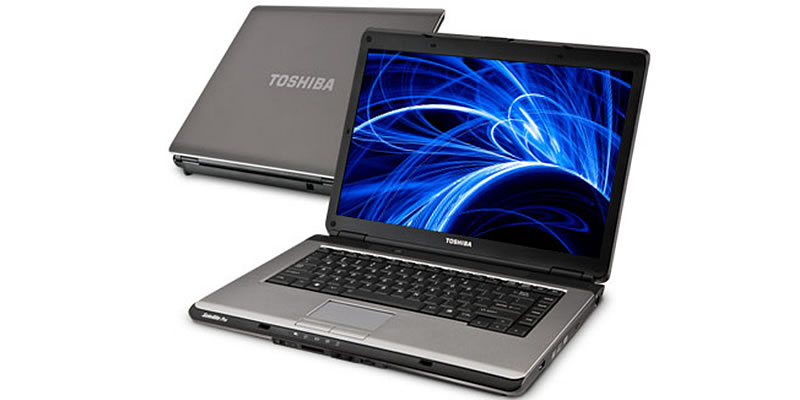 How to Replace Your Toshiba Satellite L300 Laptop Battery
If your Toshiba Satellite L300 laptop battery fails or battery power no longer holds a sufficient charge, you can easily replace it. Please follow following steps:
- Turn off your laptop and disconnect the AC adapter.
- Release the latch or other attachment devices that hold your Satellite L300 battery in place.
- Slide the old battery out of its compartment or storage bay.
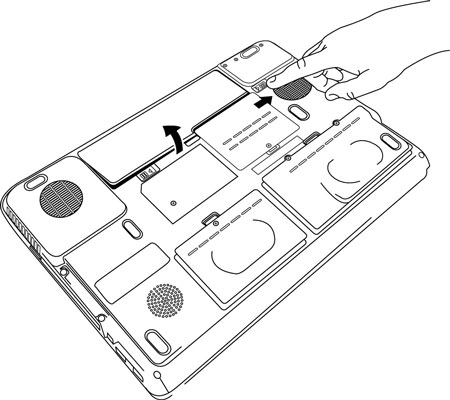 Press the release button if there is one and carefully lift the battery out of its compartment.
Avoid touching the contacts on the battery itself or inside the bay; the oils on your fingertips could reduce the conductivity of the Toshiba battery.
- Take the replacement Toshiba satellite laptop battery out of the box.
- Slide it into the notch or bay.
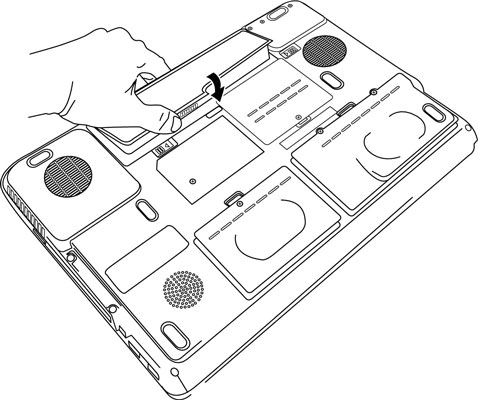
- Close the safety latch to lock it into place.
- Reconnect the Toshiba Satellite Pro L500 AC Adapter. and give the battery a full charge.
